This is the complete, click-by-click walkthrough of buying InterServer's Standard Web Hosting — with real screenshots from an actual signup in October 2026. Follow it and you'll pay $0.01 for your first month with the code DEVHOST01, then $7/mo price-locked. Total time: about 15 minutes, most of it waiting for emails.
What you'll need before you start: a domain name you own (or plan to point to InterServer), an email address you can access right now, and a credit card. That's it.
Step 1 — Start from the InterServer homepage
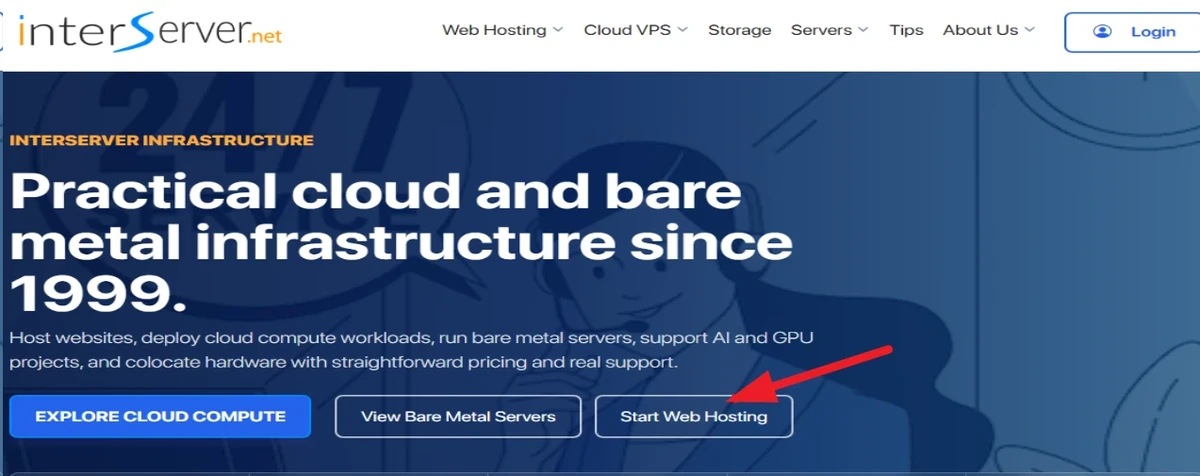
Open InterServer's website and click Start Web Hosting in the main banner. That takes you straight to the hosting plans.
Step 2 — Pick the Standard Web Hosting plan
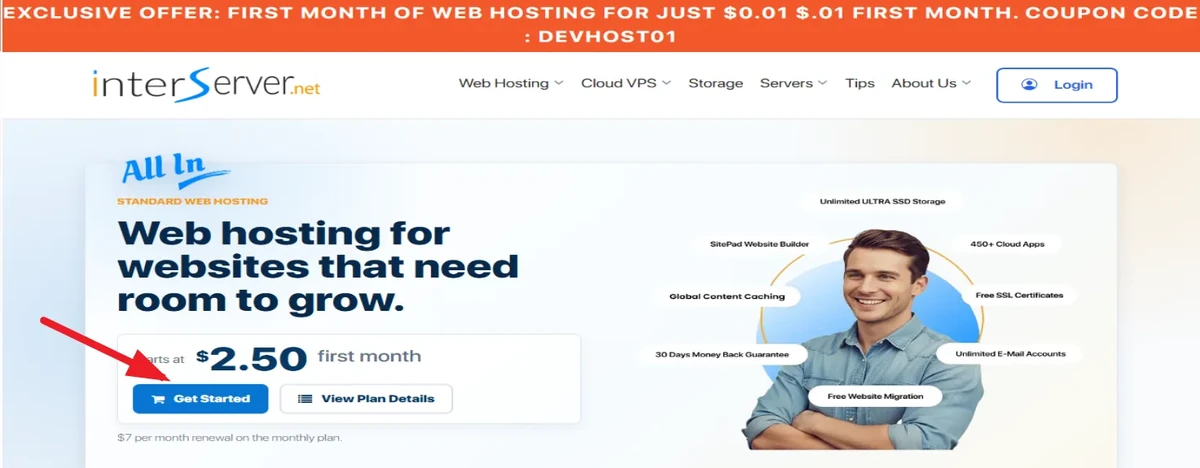
On the plans page, check the orange banner up top — InterServer itself advertises the exclusive DEVHOST01 offer there: first month for $0.01. The plan you want is Standard Web Hosting ($2.50 for the first month, then $7/mo price-locked). Click Get Started.
Step 3 — Choose your domain
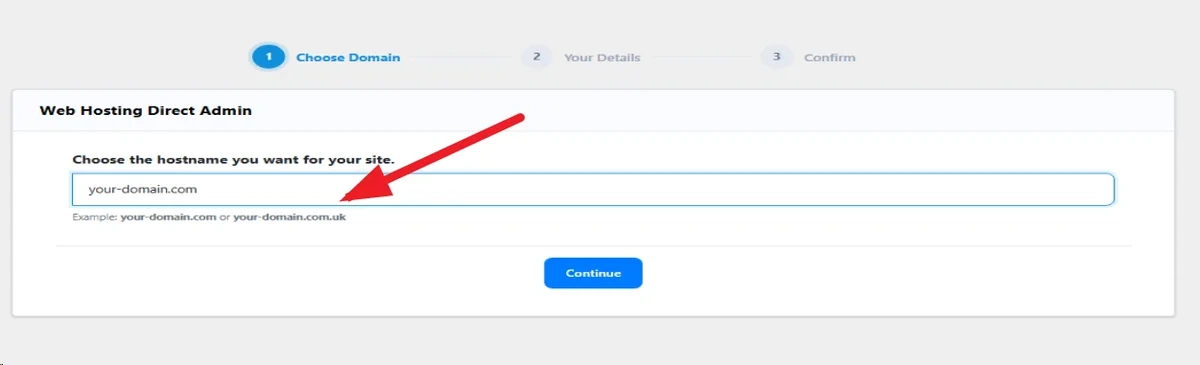
After clicking Get Started, the first order screen (step 1 of 3) asks for your domain — enter one you already own. (Don't have one yet? Register one first at any registrar; this field won't sell you a new domain.)
Step 4 — Create your account
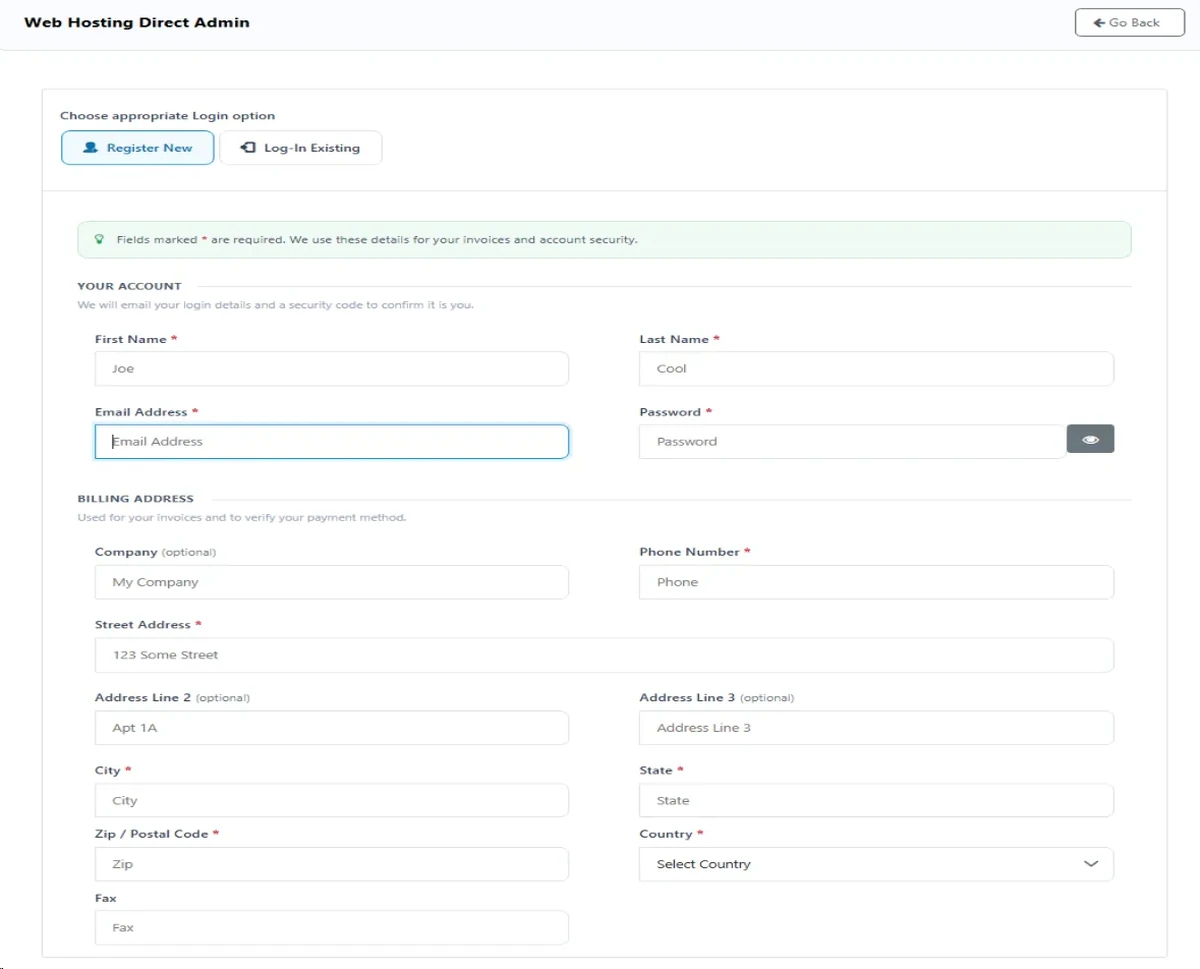
Next comes the registration form: name, email, password, and billing address. Fill it in with your real details — the email matters, because InterServer sends a verification code there in Step 5. If you already have an InterServer account, use the "Log-In Existing" tab instead.
Step 5 — Review your order (and apply DEVHOST01)
This is the screen where most people overpay — not because of InterServer, but because of two pre-ticked add-ons. Look at your order summary:
- Domain Transfer ($15) — only needed if you're moving a domain from another registrar right now. Otherwise, turn it off.
- Whois Privacy ($5) — optional. Turn it off if you don't want it.
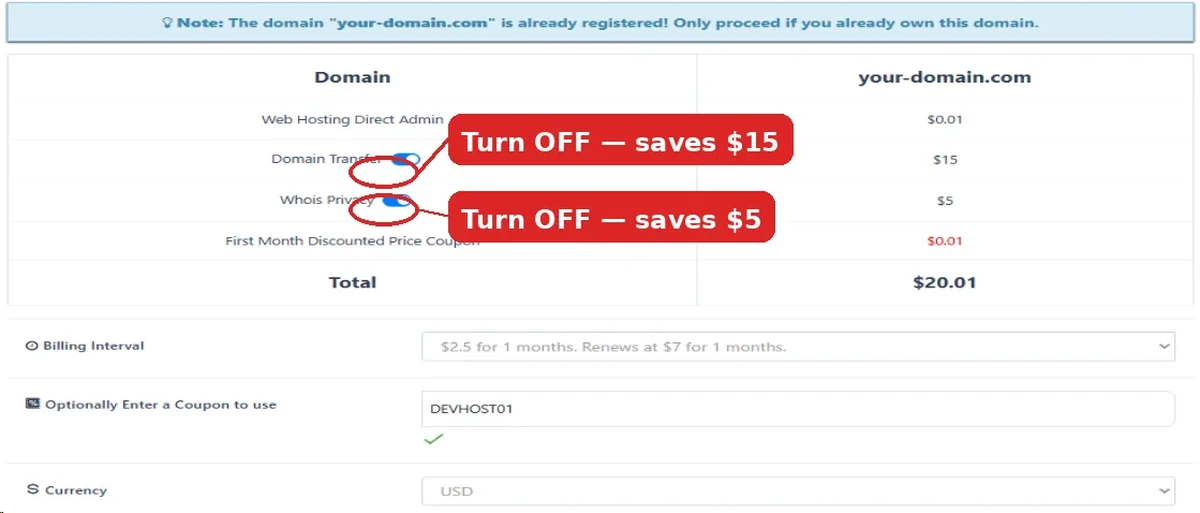
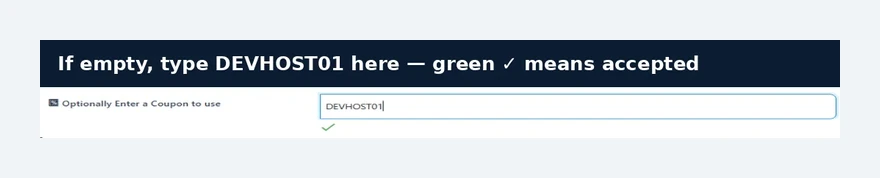
Next, open the Billing Interval dropdown and pick your term. Then check the coupon field: if DEVHOST01 isn't already there, type it in. A green checkmark means it's accepted — and your total should drop to $0.01.
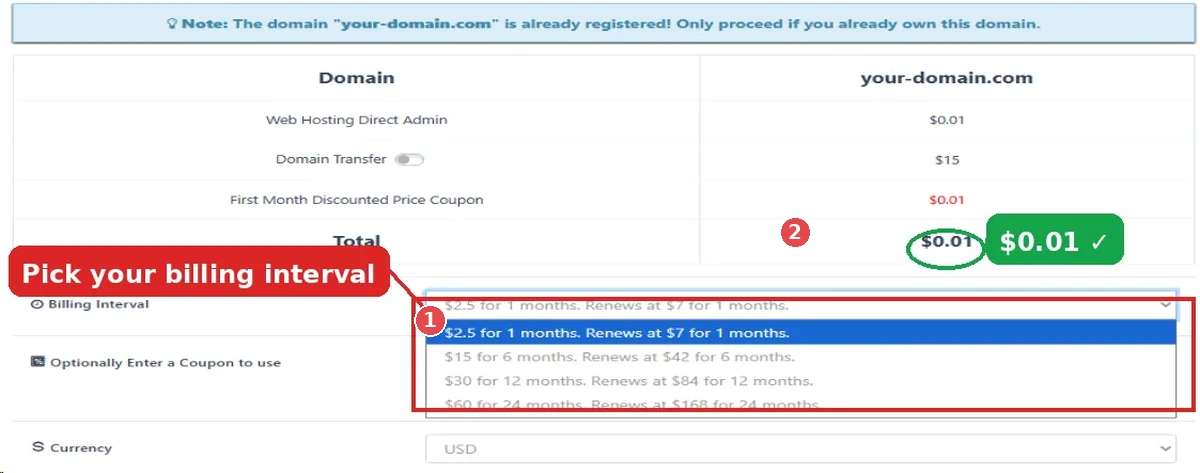
Price check before you continue: first month $0.01, then $7/mo — and that $7 is locked, it can never rise. That's the whole reason this deal beats a "$2.95 intro that renews at $11.99" from other hosts. See the renewal math →
Step 6 — Agree to the terms and place your order
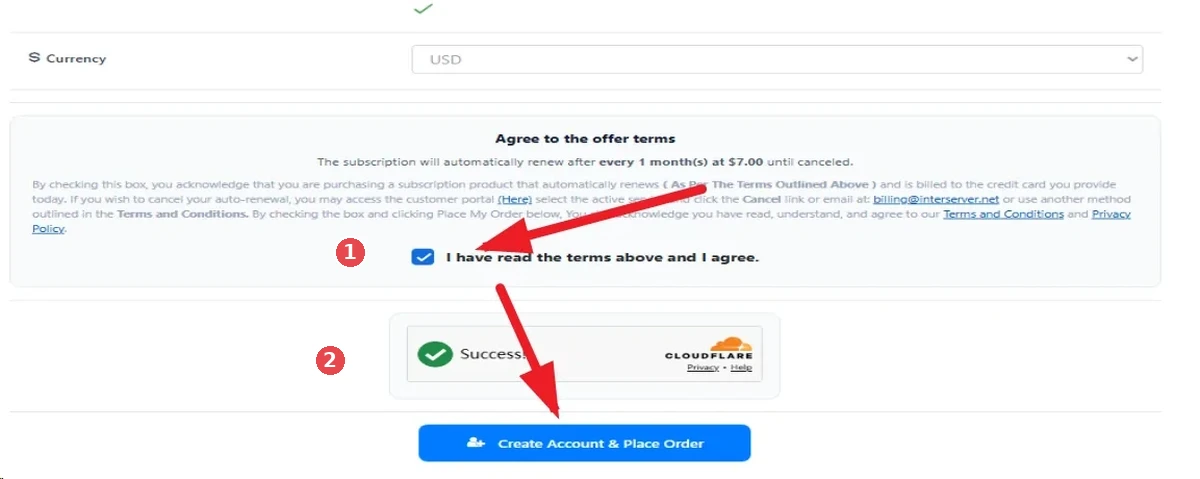
Read the subscription terms (it renews at $7.00/mo until you cancel — cancel anytime via billing@interserver.net), tick the agreement box, complete the captcha, and click Create Account & Place Order. Scroll down if you don't see the button — it's below the fold.
Step 7 — Verify your email address
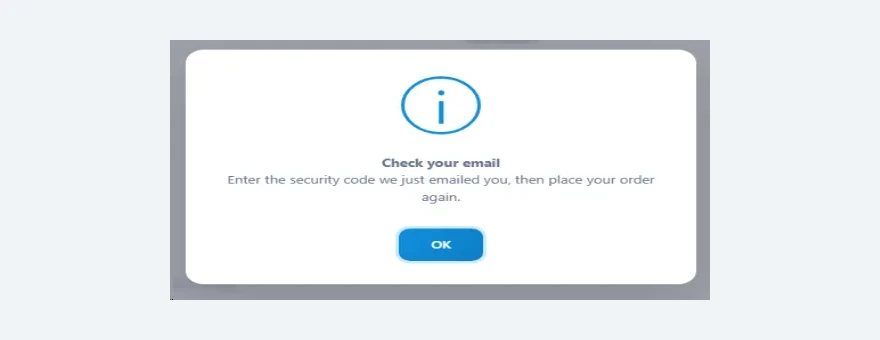
Right after you place the order, a popup asks for a security code:
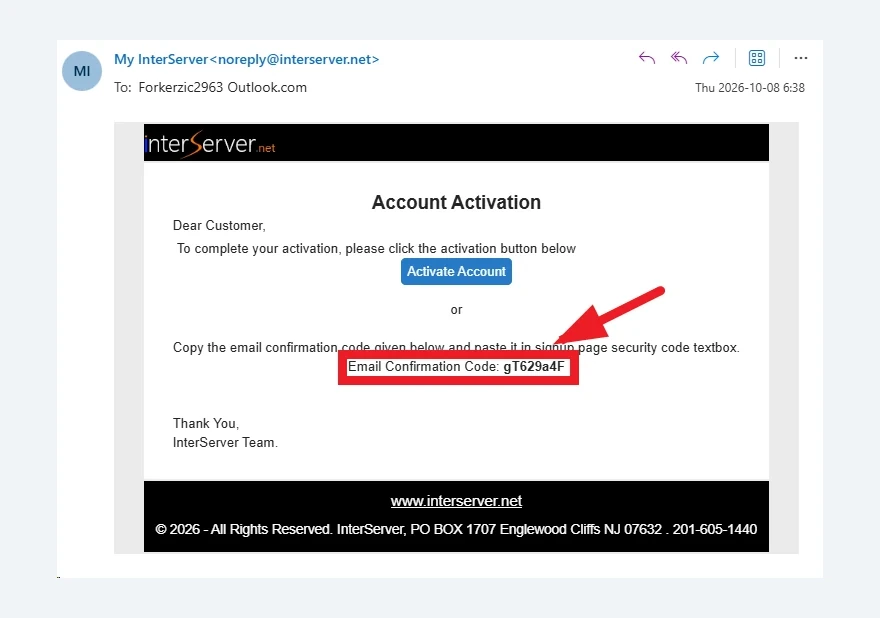
Open the "Account Activation" email from InterServer and copy the Email Confirmation Code:
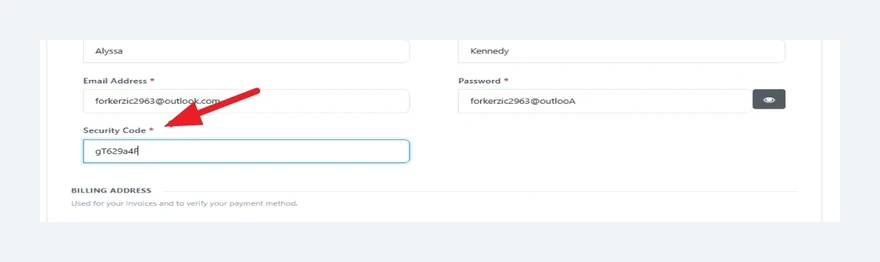
Paste it into the Security Code field back on the order page:
Step 8 — Add and verify your credit card
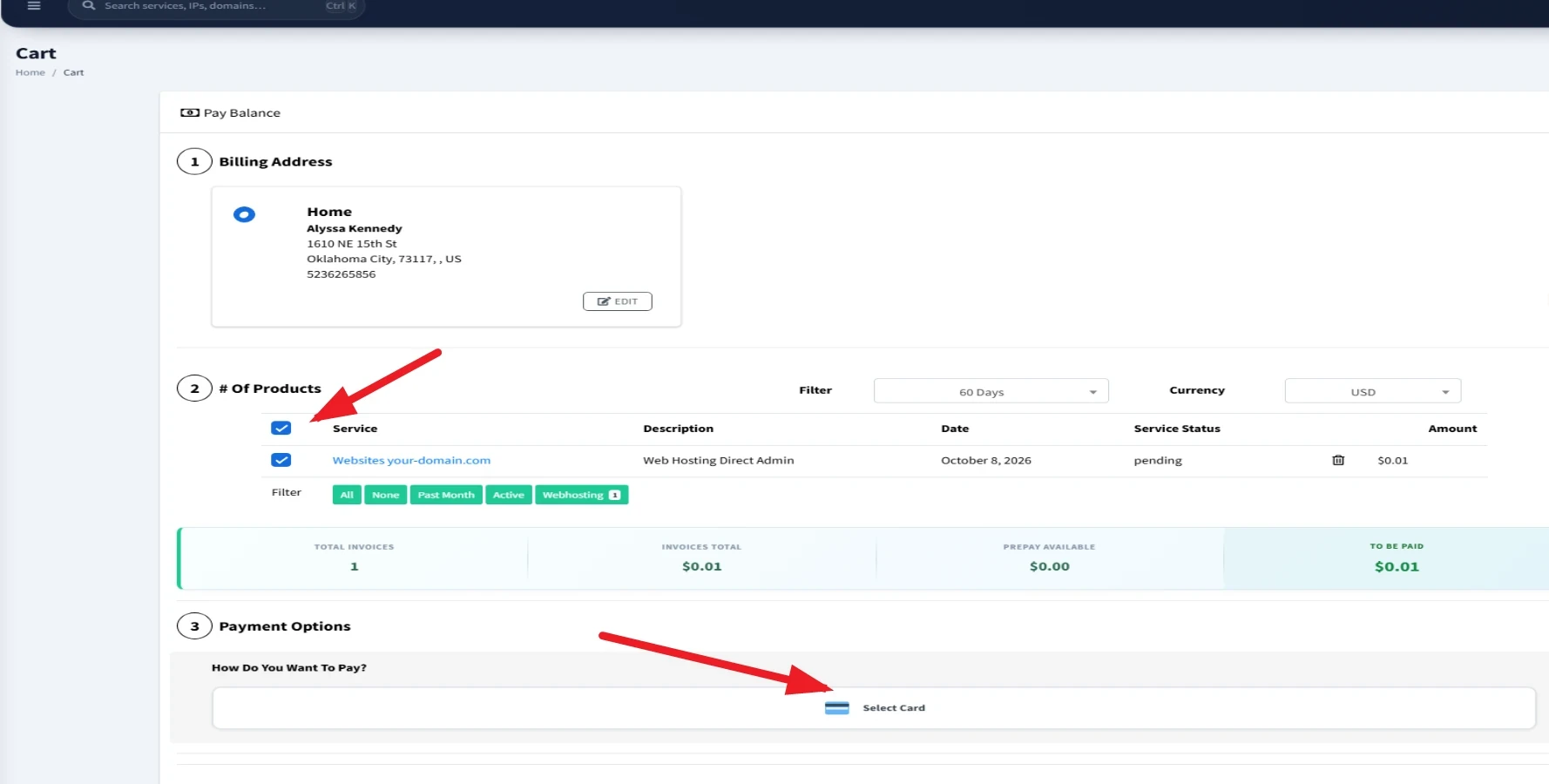
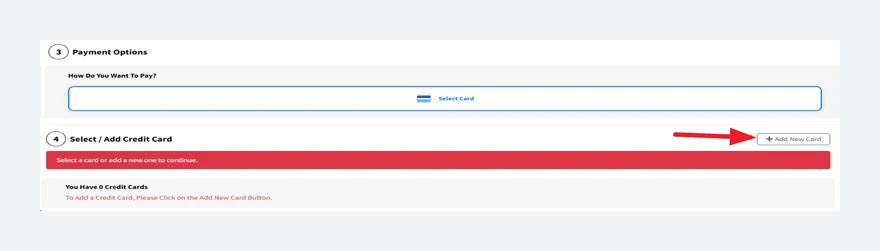
You're now inside InterServer's billing portal. Your $0.01 order is sitting in the cart as pending — tick its checkbox, then head to payment:
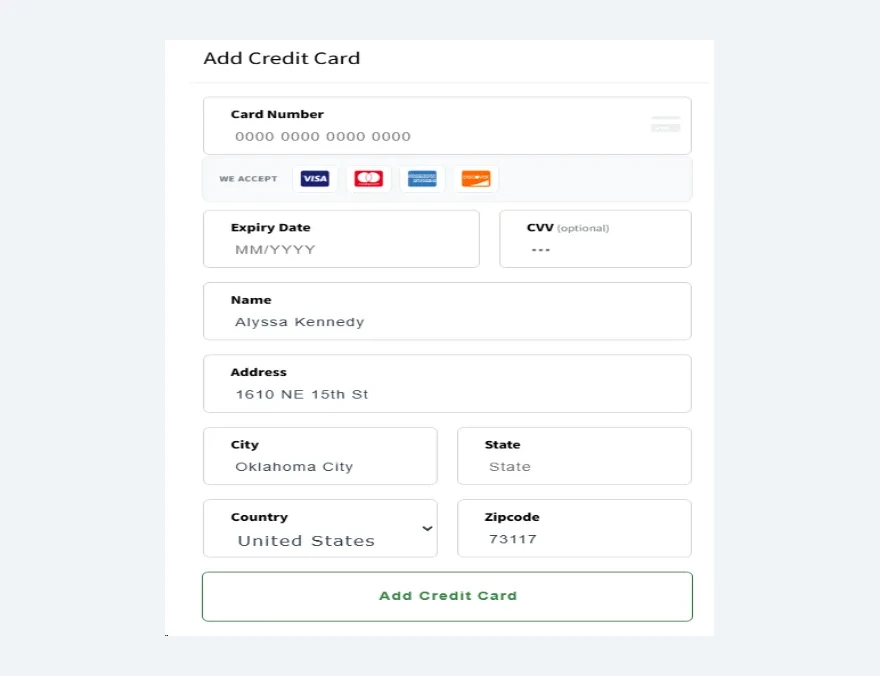
Click + Add New Card and fill in your card details:
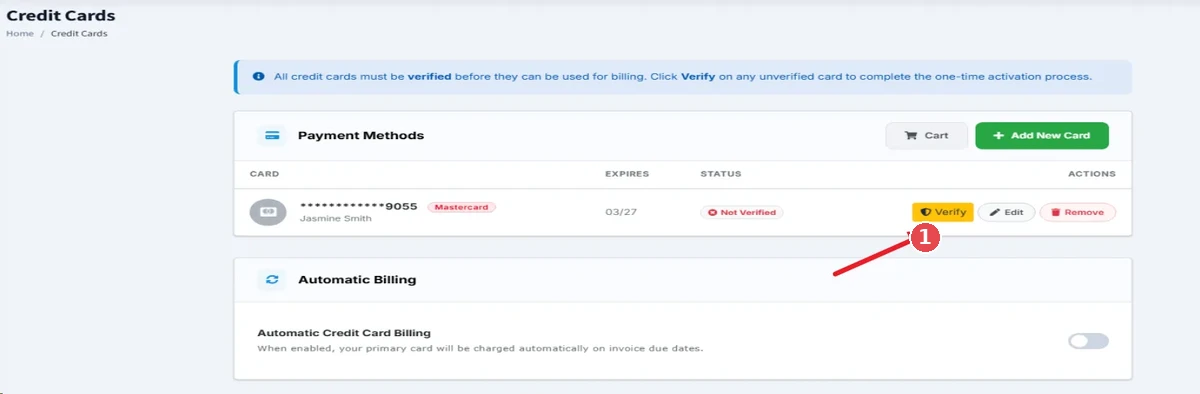
New cards start as Not Verified. Click the yellow Verify button on your card:
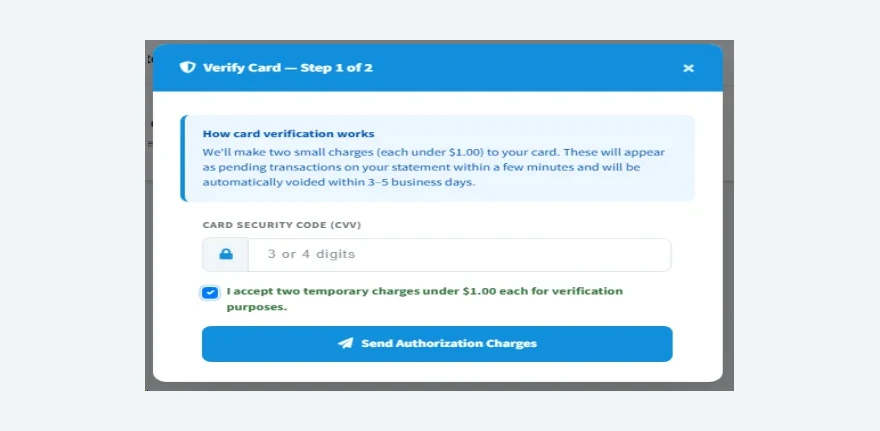
Step 1 of 2: enter your card's CVV, tick the box accepting two temporary charges under $1.00, and click Send Authorization Charges:
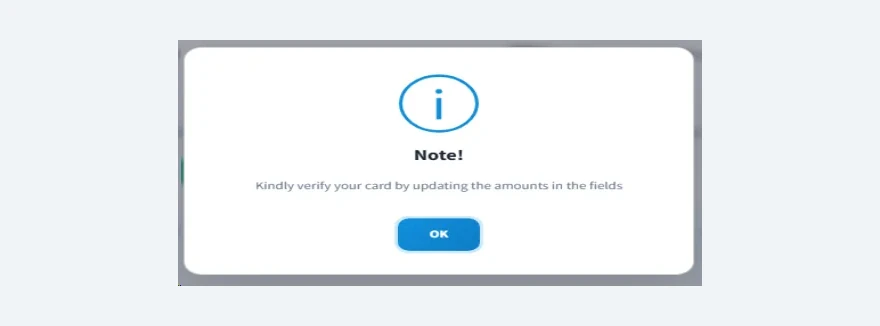
A notice confirms the charges are on their way — click OK:
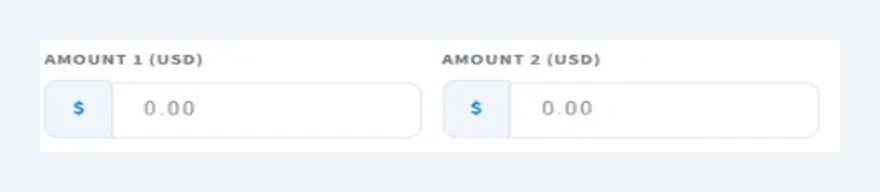
Step 2 of 2: open your bank/card statement and find the two pending InterServer charges (each under $1.00 — ours were $0.10 and $0.08). Type those two amounts into the verification fields:
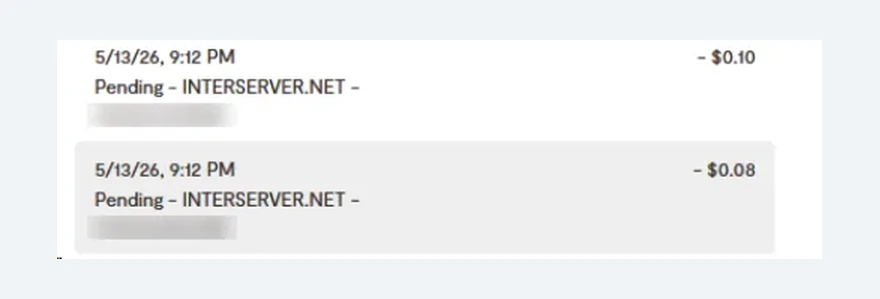
The charges are automatically voided within 3–5 business days — you don't pay them. Once verified, your card can be billed and your $0.01 order completes. Welcome aboard.
Quick recap
- First month: $0.01 with DEVHOST01
- Then: $7/mo, price-locked forever — the rate can never rise
- Turn off Domain Transfer ($15) and Whois Privacy ($5) unless you need them
- Verify your email with the security code, then verify your card with the two micro-charges
- 30-day money-back guarantee if you change your mind
Want the full picture before you commit? Read our InterServer review — and if the price-lock model isn't for you, here are 5 honest alternatives.
Do I need to buy a domain from InterServer to use this tutorial?
No. The order form asks for a domain you already own — it doesn't sell you a new one at this step. If you don't have a domain yet, register one first (any registrar works), then come back and enter it.
Is DEVHOST01 still working?
It was working when we walked through this signup in October 2026. Coupon codes can change or expire, so always verify at checkout: if the green checkmark appears and the total drops to $0.01, you're good.
Why does InterServer make me verify my card with small charges?
It's a one-time fraud-prevention check. Two charges under $1.00 hit your card as pending transactions; you enter the exact amounts to prove the card is yours. They're automatically voided within 3–5 business days — you never actually pay them.
What if I change my mind after paying?
Standard Web Hosting comes with a 30-day money-back guarantee. Contact InterServer's billing team (billing@interserver.net) to cancel within the window.
Will my price really stay $7/mo forever?
That's InterServer's price-lock guarantee: the renewal rate you sign up at is the rate you keep for the life of the account. It's the single biggest reason we recommend them for long-term sites.
Start your $0.01 first month
Follow the walkthrough above, then apply DEVHOST01 at checkout — $0.01 for month one, $7/mo price-locked after.
Exclusive: first month $0.01 with code DEVHOST01 at checkout
Keep reading
Shared vs VPS vs Cloud Hosting: Which Do You Actually Need?
Shared, VPS, or cloud hosting? A plain-English guide to picking the right type — most first sites need shared, and that's fine.
How Much Does Web Hosting Really Cost in 2026? The Renewal-Price Trap
The $2.95/mo headline vs the 3-year reality. We do the renewal math for 4 popular hosts — and show the one policy that kills the trap.
InterServer vs Hostinger 2026: Price-Lock vs Speed
The honest head-to-head: InterServer's never-rising $7/mo against Hostinger's speed and polish. Verdict by use case.